Step into a world where your home’s lighting adapts to your mood, schedule, and every occasion with the remarkable capabilities of Govee smart bulbs. Gone are the days of static, uninspired illumination; Govee brings dynamic, personalized lighting within everyone’s reach. Whether you’re seeking vibrant hues for a party, serene warm whites for a relaxing evening, or efficient task lighting for focused work, Govee smart bulbs offer an intuitive, feature-rich solution to transform any space. This comprehensive guide will delve into the various types, essential features, competitive advantages, and practical applications of Govee smart bulbs, ensuring you can confidently choose and integrate the perfect lighting for your intelligent home.
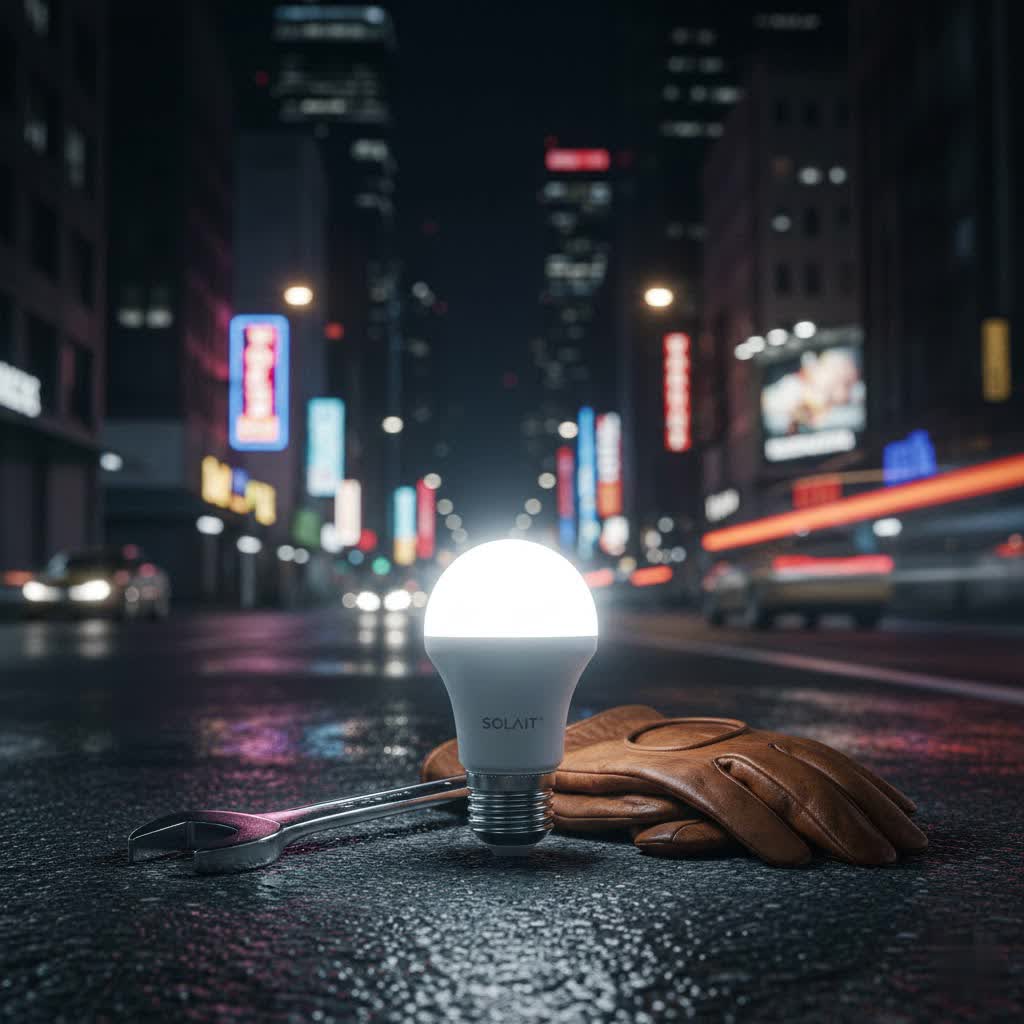
Perfecting Your Ambiance: A Detailed Guide to Govee Smart Bulbs
Smart bulbs, fundamentally powered by energy-efficient LED technology, offer a significant upgrade from conventional lighting. Govee has carved out a niche in this evolving market by providing innovative and accessible smart lighting solutions that don’t compromise on functionality or aesthetic appeal. Understanding the range of Govee offerings is the first step toward crafting your ideal lighting environment.
Exploring the World of Govee Smart Bulb Types
Govee manufactures a variety of smart bulbs designed to fit diverse fixtures and cater to specific lighting needs. While all share the core smart functionalities, their physical form, brightness, and specialized features can vary significantly.
The most common Govee smart bulbs include:
- A19/E26 Standard Bulbs: These are the most versatile and widely used, fitting into most standard lamps and ceiling fixtures. Govee offers these in various lumen outputs, typically ranging from 800 lumens (equivalent to a 60W incandescent bulb) to 1200 lumens (comparable to a 75W-100W bulb), providing ample brightness for general room lighting. Newer, brighter A21 models offering up to 1600 lumens are also emerging.
- E12 Candle Bulbs: Designed for chandeliers, wall sconces, and decorative fixtures, these smaller bulbs often provide ambient or accent lighting, typically around 450 lumens.
- BR30/PAR38 Recessed Lights: Ideal for can lights in ceilings, these bulbs offer powerful, directed illumination, with some BR30 models boasting 1200 lumens. PAR38 versions provide an even more focused spotlight effect.
- GU10/MR16 Spotlights: These compact bulbs are suitable for track lighting or specific accent lighting, offering directional light to highlight features or artwork.
- Decorative Edison-style Bulbs (ST19, G25): While less bright (e.g., 350-500 lumens), these bulbs prioritize aesthetic appeal with visible filaments and unique shapes, perfect for creating a vintage yet smart ambiance.
|
Our Picks for the Best Smart Bulb in 2026
As an Amazon Associate I earn from qualifying purchases.
|
||
| Num | Product | Action |
|---|---|---|
| 1 | Amazon Basics Smart A19 LED Light Bulb, Color Changing, 9W (60W Equivalent), 800LM, Works with Alexa Only, 2.4 GHz Wi-Fi, No Hub Required, 4 Pack |

|
| 2 | Linkind Smart Light Bulbs, Smart Bulb That Work with Alexa & Google Home, LED Light Bulbs Color Changing, 104 Preset Scene, Music Sync, A19 E26 2.4GHz RGBTW WiFi Bluetooth Light Bulb 60W, 800LM, 4Pack |
|
| 3 | Philips Hue Essential Smart LED A19 Bulb, White and Color Ambiance, E26 Base, 8.8W, 2200K-6500K, 800 Lumens, Dimmable, Works with Alexa, Google, and Apple Home, 4-Pack |
|
| 4 | Lightinginside Smart Light Bulbs 100W Equiv., 1350LM 11W Smart Bulb Works with Alexa/Google Home/Smart Life, A19 E26 RGBCW Color Changing, No Hub Required, 2.4G WiFi Bluetooth Bulb, ETL Listed, 4PCS |
|
| 5 | Govee Smart Light Bulbs, Color Changing Light Bulb, Work with Alexa and Google Assistant, 16 Million Colors RGBWW, WiFi & Bluetooth LED Light Bulbs, Music Sync, A19, 800 Lumens, 4 Pack |
|
| 6 | DiCUNO MR16 Smart Bulbs Alexa, RGBCW Color Changing Light, 5W GU5.3 Smart Bulb Compatible with Google Home, Dimmable with App, 2.4GHz WiFi, AC/DC 12V, Bi-pin Base, 400LM, Landscape Light, 4-Pack |
|
| 7 | Kasa Smart Light Bulbs, Full Color Changing Dimmable Smart WiFi Bulbs Compatible with Alexa and Google Home, A19, 60 W 800 Lumens,2.4Ghz only, No Hub Required, 2-Pack (KL125P2), Multicolor |
|
| 8 | Kasa Smart Light Bulbs, Full Color Changing Dimmable Smart WiFi Bulbs Compatible with Alexa and Google Home, A19, 9W 800 Lumens,2.4Ghz only, No Hub Required, 4 Count (Pack of 1), Multicolor (KL125P4) |
|
| 9 | Restful 2-Pack Bedtime Bulb v2 for Better Sleep (45+ Years of Light) – Dimmable Low Blue Light, Gentle Infrared Light, and Low EMF Bulb |
|
| 10 | Amazon Basics Smart A19 LED Light Bulb, Color Changing, 9W (60W Equivalent), 800LM, Works with Alexa Only, 2.4 GHz Wi-Fi, No Hub Required, 1 Pack |
|
Many Govee smart bulbs utilize RGBWW (Red, Green, Blue, Warm White, Cool White) technology. This advanced configuration includes dedicated white LEDs alongside the RGB elements, ensuring that while you can access 16 million vibrant colors, you also get rich, pure white light across a spectrum from warm (2700K) to cool (6500K) temperatures. This comprehensive color and white range allows for incredible flexibility, from energetic party lighting to comfortable reading conditions.
Essential Features of Govee Smart Bulbs
Govee smart bulbs are packed with features designed to enhance convenience, personalization, and energy efficiency, making them a cornerstone of any modern smart home ecosystem.
- Seamless Control: The heart of the Govee experience is the Govee Home App. This intuitive and responsive application provides comprehensive control over your lighting, allowing you to adjust brightness, change colors, and select preset scenes with ease. For hands-free operation, Govee bulbs are compatible with popular voice assistants such as Amazon Alexa and Google Assistant. Newer models are also beginning to support Matter, further broadening their integration capabilities within various smart home platforms.
- Vibrant Color & Tunable White: With access to 16 million colors and a full spectrum of tunable white light (from cozy 2700K warm white to crisp 6500K cool white), Govee bulbs enable you to create virtually any ambiance imaginable. Whether it’s a soft glow for relaxation or a bold, saturated color for a themed event, the possibilities are endless.
- Dynamic Lighting Effects: Beyond static colors, Govee bulbs shine with dynamic effects. The Music Sync feature allows your lights to react to the beat and melody of your favorite songs, transforming your room into a captivating light show using your phone’s microphone. Additionally, the app offers numerous preset scene modes for various occasions (e.g., festive holidays, calm relaxation, energetic gaming) and a DIY mode to craft your unique light sequences.
- Automation & Schedules: Govee smart bulbs can be programmed to fit your daily routine. Set timers for lights to turn off automatically, create daily schedules for lights to brighten or dim at specific times, or use wake-up and sleep modes that gently mimic sunrise and sunset, promoting better sleep cycles.
- Group Control: Managing multiple bulbs is effortless with Govee’s group control functionality. You can group several bulbs together, even across different rooms, and control them simultaneously with a single command or tap in the app. Some systems support grouping up to 50 devices for whole-home synchronization.
- Energy Efficiency: As LED devices, Govee smart bulbs consume significantly less energy than traditional incandescent bulbs, leading to noticeable savings on your electricity bill. The ability to dim lights and set schedules further enhances energy conservation.
Govee Smart Bulbs vs. The Competition: A Comparison Overview
When considering smart lighting, Govee often enters the conversation alongside established brands like Philips Hue and LIFX. While these competitors offer robust ecosystems, Govee presents a compelling alternative, particularly in terms of value and ease of entry.
| Feature | Govee Smart Bulbs | Philips Hue | LIFX |
|---|---|---|---|
| Price Point | Highly affordable, excellent value for features. | Premium pricing, higher initial investment. | Mid-to-high range. |
| Hub Requirement | No hub required (direct Wi-Fi/Bluetooth). | Requires a Hue Bridge for advanced features. | No hub required (direct Wi-Fi). |
| Connectivity | Wi-Fi (2.4GHz) & Bluetooth. | Zigbee (via Bridge), Bluetooth (direct). | Wi-Fi. |
| App Experience | Intuitive, feature-rich, extensive customization. | Polished, comprehensive ecosystem integration. | Good, but some users report occasional issues. |
| Color Vibrancy | Excellent, 16 million colors, RGBWW for pure whites. | Exceptional, known for rich, accurate colors. | Very vibrant, good color saturation. |
| Brightness | Up to 1200+ lumens available. | Often 800-1100 lumens, higher models exist. | Often 1100+ lumens. |
| Smart Home Support | Alexa, Google Assistant, Matter (new models). | Alexa, Google Assistant, HomeKit, SmartThings. | Alexa, Google Assistant, HomeKit. |
Govee’s primary advantage lies in its affordability and its hub-free operation, making it an attractive option for those looking to dive into smart lighting without a significant upfront investment in additional hardware. While Philips Hue might offer a slightly more polished app experience or marginally more saturated colors in some instances, Govee consistently delivers a rich feature set and reliable performance that often exceeds expectations for its price point. Its growing market share in the affordable smart lighting segment underscores its success in offering premium features without the premium cost.
Your Ultimate Govee Smart Bulb Buying Guide
Choosing the perfect Govee smart bulb involves considering several factors to ensure it aligns with your specific needs and home environment.
- Brightness (Lumens): Determine the required brightness based on the room size and intended use. For ambient lighting or small spaces, 800 lumens might suffice. For main living areas, kitchens, or task lighting, opt for 1000-1200 lumens or higher.
- Form Factor and Fitting: Check the socket type of your existing fixtures (e.g., E26/A19 for standard screw-in, E12 for candelabra, BR30 for recessed). Govee offers bulbs for most common fittings.
- Color Capabilities: Most Govee smart bulbs offer 16 million colors. For the best white light quality, look for RGBWW models that include dedicated warm and cool white LEDs.
- Connectivity: Govee bulbs typically support both Wi-Fi (2.4GHz) and Bluetooth. Wi-Fi allows for remote control from anywhere, while Bluetooth is excellent for local control when your Wi-Fi might be down or for quicker initial setup.
- Smart Home Integration: If you use voice assistants, ensure the Govee model you choose is compatible with Amazon Alexa or Google Assistant. Keep an eye out for Matter-compatible models for future-proof integration.
- Budget: Govee offers excellent value. Consider multi-packs for upgrading several rooms or fixtures economically.
> “Smart bulbs are not just about illumination; they are about creating an atmosphere, optimizing well-being, and integrating seamlessly into your smart home ecosystem for ultimate convenience.”
Effortless Setup: Installing and Using Your Govee Smart Bulbs
One of Govee’s standout features is the straightforward installation process, typically requiring no hub and just a few simple steps to get your lights up and running.
Step-by-Step Installation:
- Install the Bulb: Screw your Govee smart bulb into any standard light fixture. Ensure the fixture is powered on. The bulb should typically blink, indicating it’s ready for pairing.
- Download the Govee Home App: Search for and download the “Govee Home” app from your device’s app store (iOS or Android).
- Create an Account: Open the app and follow the prompts to create a new Govee account or log in if you already have one.
- Enable Permissions: During setup, the app will request Bluetooth and location permissions. It’s crucial to enable these for the initial setup to allow the app to detect nearby devices.
- Add Your Device: In the Govee Home app, tap the “+” icon (usually in the top right corner) to add a new device. The app should automatically detect your Govee smart bulb. Select your specific bulb model from the list.
- Connect to Wi-Fi: The app will guide you to connect your bulb to your 2.4GHz Wi-Fi network. Enter your Wi-Fi password. Note that initial setup often uses Bluetooth, then switches to Wi-Fi for remote control.
- Name and Group: Give your bulb a descriptive name (e.g., “Living Room Lamp”) and assign it to a room or group if desired.
- Connect to Voice Assistants (Optional): Follow the in-app instructions to link your Govee account with Amazon Alexa or Google Assistant for voice control.
Maximizing Your Experience:
- Explore Scene Modes: Dive into the Govee Home app to experiment with the vast library of preset scenes or use the DIY mode to craft your own unique lighting effects.
- Set Schedules: Automate your lighting by creating schedules for different times of the day or week, enhancing convenience and energy savings.
- Utilize Music Sync: For an immersive experience, enable music sync during parties or simply to relax to your favorite tunes with dynamic lighting.
Troubleshooting Common Issues:
- Bulb Not Connecting: Ensure your bulb is securely installed and powered on. Verify that your phone’s Bluetooth is enabled and the Govee app has location and Bluetooth permissions. Check that you are connecting to a 2.4GHz Wi-Fi network.
- App Permissions: If you’re having trouble, double-check your phone’s app settings to confirm all necessary permissions are granted to the Govee Home app.
- Resetting the Bulb: Most Govee bulbs can be reset by turning them off and on several times, usually 3-5 times, with short intervals (1-2 seconds) between each toggle until they start blinking.
Creative Applications for Govee Smart Bulbs
Govee smart bulbs unlock a world of creative possibilities, allowing you to personalize your environment in ways traditional lighting simply can’t.
- Transforming Ambiance: Effortlessly switch from bright, invigorating light to soft, warm tones for a cozy movie night, or ignite a vibrant color scheme for a lively party. Govee’s 16 million colors ensure the perfect mood for any event.
- Personalized Wellness: Utilize the scheduling feature to create custom wake-up routines that gently brighten your room, mimicking a natural sunrise. In the evening, dim the lights and shift to warm tones to prepare your body for sleep.
- Optimized Task Lighting: Adjust the color temperature of your white light. A cooler white (e.g., 5000K-6500K) can boost concentration for reading or work, while a warmer white (e.g., 2700K-3500K) fosters relaxation.
- Holiday & Event Decor: Bring festive cheer to your home with dynamic lighting. Program scenes for holidays like Christmas, Halloween, or birthdays, transforming your living space with themed colors and effects.
- Gaming & Entertainment Zones: Sync your Govee smart bulbs with other Govee devices, like light strips, or enable music sync to create an immersive gaming or movie-watching experience that extends beyond the screen.
- Energy Savings & Security: Set lights to turn off when you leave home or dim automatically to conserve energy. When away, schedule lights to turn on and off periodically to give the impression that someone is home, enhancing security.
- Outdoor Use Considerations: While Govee smart bulbs are not typically waterproof, many can be safely used in enclosed outdoor fixtures, such as porch lights or covered patio lamps, extending your smart lighting creativity to exterior spaces.
Conclusion
Govee smart bulbs offer an exceptional blend of affordability, advanced features, and user-friendly design, making them an ideal choice for anyone looking to upgrade their home lighting. From their vast palette of 16 million colors and tunable white light to seamless app and voice control, music synchronization, and comprehensive automation capabilities, Govee empowers you to craft dynamic and personalized lighting experiences throughout your living space. Their hub-free operation and competitive pricing further solidify their position as a top contender in the smart lighting market, allowing for easy integration into any smart home.
Embrace the convenience, creativity, and energy efficiency that Govee smart bulbs bring. Explore the possibilities and discover how effortlessly you can transform your home’s ambiance, enhance your well-being, and simplify your daily routines. What innovative ways will you use Govee smart bulbs to illuminate your world?
Frequently Asked Questions
Do Govee smart bulbs require a hub?
No, Govee smart bulbs typically do not require a separate hub. They connect directly to your home’s 2.4GHz Wi-Fi network and/or use Bluetooth for control, offering a simpler and more cost-effective setup compared to some other smart lighting systems.
How do Govee smart bulbs compare in brightness to traditional bulbs?
Govee smart bulbs come in various brightness levels. Many common models offer 800 lumens (equivalent to a 60W incandescent bulb) or 1200 lumens (comparable to a 75W-100W incandescent), providing ample illumination for most residential needs while consuming significantly less power.
Can Govee smart bulbs be used outdoors?
While Govee smart bulbs are not waterproof, they can often be used in outdoor settings if they are protected by an enclosed light fixture, such as a covered porch light. It’s crucial to ensure they are shielded from direct exposure to water and extreme weather.
What voice assistants are compatible with Govee smart bulbs?
Govee smart bulbs are widely compatible with popular voice assistants. You can easily integrate and control them using simple voice commands through Amazon Alexa and Google Assistant, allowing for hands-free management of your lighting.
Is the Govee Home app user-friendly?
Yes, the Govee Home app is generally considered intuitive and responsive. It offers extensive customization options, including color control, scene modes, scheduling, and music sync, all presented in a straightforward interface that makes managing your smart lighting simple and enjoyable.
